The order desk
Run the order desk with a scripted agent, then connect it to a reference backend.
The order desk uses bloc and runs without a backend or an API key.
These examples describe Tandem 0.4.0.
The website's Waypoint recordings come from the showcase app in the same repository, in showcase. This page covers the order desk.
Run the order desk
Install FVM and Flutter's tooling for your platform. Run these commands from the repository root.
fvm flutter pub get
cd example
fvm flutter run
Choose an iOS simulator, an Android emulator or a connected device. To run the desktop example on a Mac, use this command from example.
fvm flutter run -d macosIn Chrome, run fvm . Apple builds of the example need Xcode 26.2 or later for the Firebase SDK.
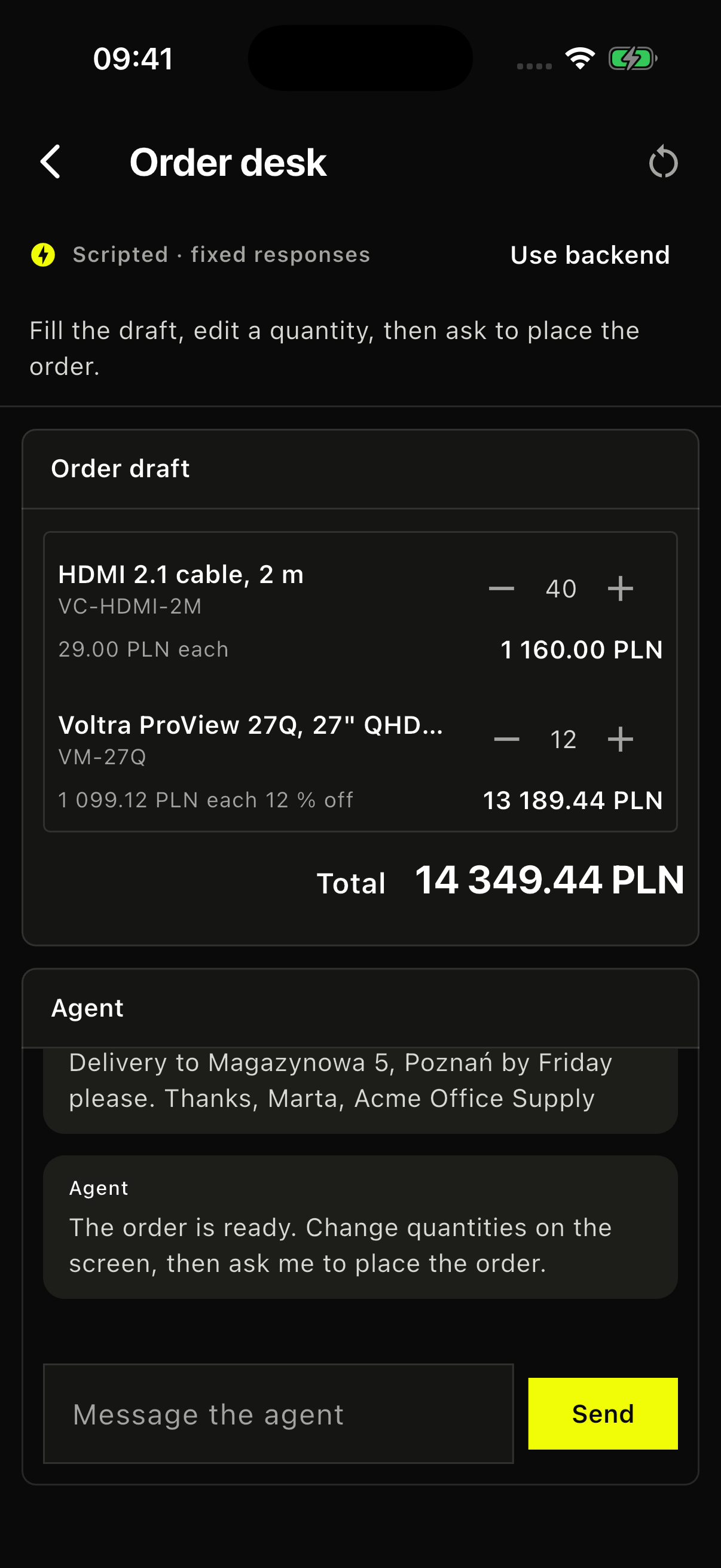
Tap the sample e-mail in the chat. The scripted agent fills the order and draws a summary below the form with TandemView and the desk's own widgets. Change a quantity in the form or the summary, remove a line, then place the order from the summary or ask the agent to.
While the agent's approval card is pending, change the delivery date. The old request becomes invalid. A second after your last edit, the example calls session. and the scripted agent requests approval again. This wake-up is part of the example, not an automatic response in Tandem.
Reset example starts a new order and session. The built-in agent follows its script rather than interpreting your messages. It uses ScriptedAgent., so the script handles every run.
Code to copy
- The order desk contains the form and
order_desk_agent.contains the script.dart AgentChatis the chat widget you can copy and adapt.- The smaller order form quoted by the README is in
order_cubit.anddart order_screen..dart
The app also enables TandemBridge, so a coding agent can fill the order through the screen's methods.
Connect the order desk to a backend
The reference backends implement the order desk agent with Google ADK, LangGraph and Pydantic AI. Install uv and run this command in one of their folders, such as example/.
TANDEM_FAKE_LLM=1 uv run order-agentThe backend returns scripted responses through its AG-UI adapter. No model or API key is required.
Tap Use backend and enter the agent's URL:
-
iOS simulator, or macOS on the same Mac:
http:/./ localhost:8000/ agent -
Chrome on the same computer:
http:/. The example backend has no CORS middleware, so add one that allows the browser's origin./ localhost:8000/ agent -
Android emulator:
http:/./ 10. 0. 2. 2:8000/ agent -
Physical device: your computer's address on the local network. Start the backend like this and allow port 8000 through your firewall:
TANDEM_HOST=0.0.0.0 TANDEM_FAKE_LLM=1 uv run order-agentSee the backend settings.
Then tap the sample e-mail. Connecting or resetting starts a new order. Use script returns to the app's built-in scripted agent. Follow the backend scenario to test editing and approvals.
The same backends also support Ollama and Gemini.
Other platforms
Project status lists the platforms the release checks ran on. To try another platform, generate its Flutter host in example. For Windows, run these commands.
fvm flutter create --empty --platforms=windows .
fvm flutter run -d windows
For Linux, use linux.